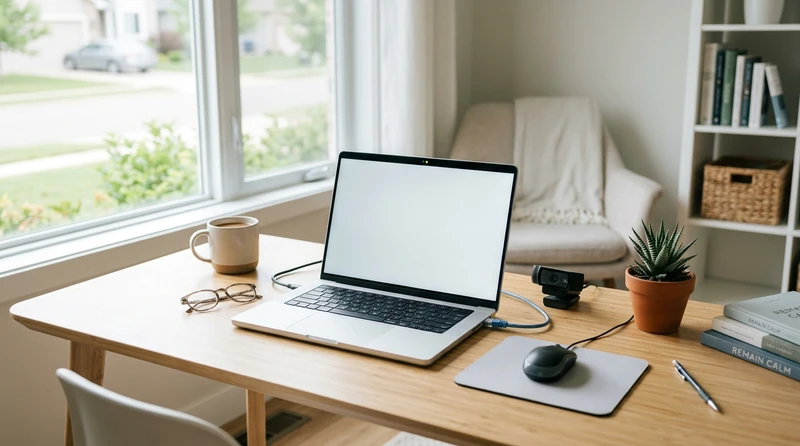
Online proctored exams add pressure a classroom exam never had: you are watched, recorded, and evaluated by software before a human reads a single answer. For many students, the surveillance element alone spikes anxiety higher than the material — no proctor nodding reassuringly, no ambient noise of other students, just a camera and a timer in an environment full of unpredictable sounds that monitoring software might flag. This guide covers the tech setup, rule-awareness, on-screen pacing, and real-time panic strategies that make the difference between a session that runs smoothly and one that derails before the first question.
Tech Setup: Do This Before Exam Day
The single biggest source of proctored exam panic is a tech problem that a test run two days earlier would have caught. Run a complete environment check before the morning of your exam.
Run the System Check in Full
Most proctoring platforms include a pre-session compatibility test. Run it all the way through — not just to clear the requirements, but to observe how your machine behaves: how long the software takes to load, whether your camera image is clear, whether the microphone registers cleanly. If a practice or demo session is available, use it.
Test Your Internet and Backup Plan
A wired ethernet connection is more reliable than Wi-Fi during a high-stakes exam. If wired is not an option, sit as close to your router as possible and run a speed test — feeds below 5 Mbps can stutter or drop, which some systems flag. If your home connection is unreliable, identify a backup spot (a library private study room, a campus computer lab) and test it in advance.
Prepare Your Physical Space
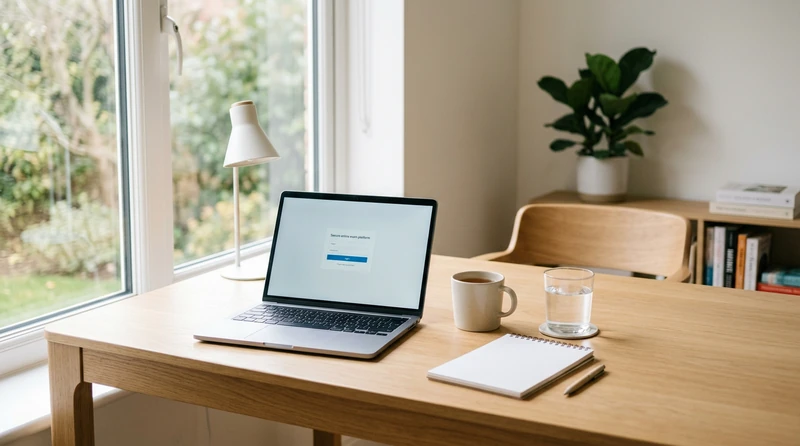
Clear your desk to the permitted minimum: computer, any allowed ID, and nothing else that a proctor might question. Remove bottles with labels, extra monitors, and open notebooks. Face toward a lamp or window so your face is clearly lit — a silhouette against a bright window is a common reason sessions get paused for identity re-verification.
Understanding Proctoring Rules Before You Sit Down
Rules vary by institution and exam type, but several patterns appear across most systems. Read them the day before — not as you are logging in.
Know What Triggers a Review Flag
Common flagged behaviors include: looking away from the screen for more than a few seconds, speaking aloud, covering your mouth, leaving the camera frame, and switching browser tabs. Flags are not automatic penalties — a person reviews them and determines whether they are significant. But knowing which behaviors draw flags lets you avoid them naturally rather than being startled mid-exam.
Practice the Room Scan and ID Check
Most sessions open with identity verification and a slow 360-degree camera pan of your entire space, including under your desk. An awkward or incomplete scan is one of the most common causes of a delayed start, which eats into your exam time. Walk through it at least once beforehand so the motion is second nature.
Confirm the Calculator and Notes Policy
Some exams allow a physical notepad; others require scratch work on a virtual whiteboard inside the platform. Some permit a specific calculator type; others flag any physical device on the desk. Settling this detail before exam day removes one more decision from an already pressured moment.
Managing the Nerves That Come From Being Watched
Surveillance anxiety is distinct from general exam nerves — the awareness of being observed changes how you hold yourself, and that self-consciousness competes with the cognitive work of answering questions.
Reframe the Camera
The camera is not watching you for signs of guilt; it is confirming you are present and working. The proctor is not evaluating your character — they are verifying a process. That distinction, repeated to yourself before you log in, changes the emotional weight of the lens.
Use a Short Pre-Exam Routine
Spend five minutes before logging in doing something grounding: slow breathing, a brief walk, or scanning one page of notes you already know cold. The goal is not cramming — it is shifting your nervous system out of high alert into a workable state. A short pre-exam ritual, done consistently, produces more reliable performance than going straight from anxious waiting to answering questions.
Narrow Your Focus to One Question
Once the session starts, commit fully to the question in front of you. Do not let attention drift to the camera, the timer, or what lies ahead. A narrow cognitive focus narrows anxiety with it — the two reinforce each other in both directions.
Time Management on Screen
Reading and navigating on screen is slower for most people than on paper. Do not assume your usual paper-exam pacing will transfer directly.
Scan the Exam Before Answering
If the platform lets you browse all questions before starting, take 60 seconds to do it. You will see how many there are, spot multi-part questions that need more time, and know where to invest effort. Answer what you know first, flag the harder ones, and return — this builds momentum and protects your time.
Use a Halfway Check-In
Set one mental checkpoint at the midpoint of your allotted time. Behind pace: speed up. Ahead: use the buffer to revisit flagged questions. Checking the timer every two minutes raises anxiety without improving pacing — look at it at natural intervals only.
What to Do If Technology Fails
Tech failures happen. Preparation for this scenario is the difference between a fixable inconvenience and a panic spiral.
If your connection drops or the software freezes, resist the instinct to immediately close everything and restart. Most remotely proctored platforms have live chat or phone support — contact them first, document the error with a screenshot and the time, then follow their guidance before taking any independent action.
Before exam day, confirm your institution's contingency protocol: who to contact, what counts as a verifiable disruption, and whether a makeup is available. Write down a name and contact number before you log in — you will not want to search for it mid-failure.
More Resources for Exam Prep
Proctored exams are a specific challenge, but they sit inside a broader set of exam-day skills. If test anxiety has been a recurring pattern — not just the surveillance kind but the general freeze-up under pressure — the guide to beating test anxiety covers the cognitive and physiological roots of exam panic with strategies applicable to any format.
If you are juggling multiple finals alongside a proctored exam, the cumulative finals study plan offers a week-by-week framework that reduces last-minute scrambling.
Conclusion
Online proctored exams are not going away, and more courses rely on them each semester. The students who move through them without panicking are not naturally calm — they prepared the environment, ran the system check, read the rules, and walked in knowing exactly what the process looks like. Every step in this guide is something you can complete before exam day, which means the exam itself becomes the one part of the experience that is purely about what you know.
Frequently Asked Questions
Can I use the bathroom during a proctored online exam?
Most remotely proctored exams do not allow bathroom breaks once the session starts, because leaving the camera frame triggers a flag. Check the rules before logging in — if breaks are not permitted, use the bathroom immediately beforehand and limit fluid intake in the hour leading up to your exam.
What happens if my internet goes out during a proctored exam?
Contact the platform's live support immediately and document the failure — note the time and screenshot the error if possible. Do not restart without guidance. Most institutions have a contingency process for disrupted sessions; your instructor or testing office is the next contact after technical support.
How do I stop being nervous about being watched on camera during an online proctored exam?
Remind yourself the camera is confirming your presence, not judging your character. The most effective technique is immediate refocus: look at the question, think about it, answer it. A narrow focus on the material is both the best anxiety strategy and the best performance strategy — they are the same action.
What should I have on my desk for a proctored exam?
Keep the desk to what the exam explicitly allows — typically your computer, a government ID, and any permitted notepad or calculator. Remove anything with visible text, extra screens, or unlisted devices. A clear desk reduces the likelihood of a proctor pausing your session mid-exam.
Does lighting matter for online proctored exams?
Yes — more than most students expect. A dark face or a silhouette backlit by a bright window makes identity verification difficult and can pause a session. Position a lamp to face you from the front, or sit facing a window so natural light falls on your face rather than behind you.
Share this article


Comments 0
No comments yet — be the first.
Leave a comment
Your email will not be published. All fields are required.