
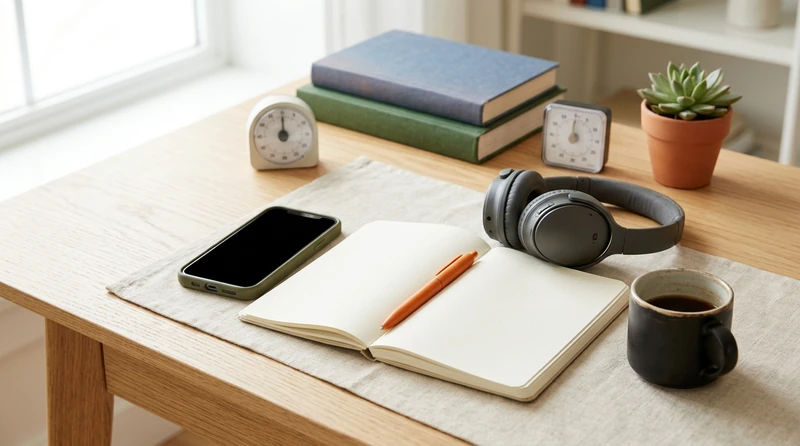
Trying to study with your phone on the desk is one of the most common focus problems college students face — and one of the least honestly discussed. Research from the University of Texas at Austin found that having a smartphone visible on your desk measurably reduces available cognitive capacity, even when the screen is dark and notifications are off. This guide covers why willpower alone is the wrong solution, and what friction-based tactics actually work when your phone is not going anywhere.
Why Willpower Fails You Here
The standard advice is to "just ignore it." That advice misunderstands how distraction works at a cognitive level.
The Brain Drain Effect
A widely cited 2017 study published in the Journal of the Association for Consumer Research found that the mere presence of a smartphone on a desk — face down, silent, powered off — still reduced participants' working memory and fluid intelligence scores. The mechanism is counterintuitive: your brain doesn't ignore the phone. It actively suppresses the urge to check it, and that suppression consumes the same limited cognitive resources you need for reading, problem-solving, and retaining information. You feel focused, but part of your mental bandwidth is already occupied.
Your Environment Outranks Your Intentions
Willpower is a depleting resource. The longer a study session runs, the harder resisting becomes — which is exactly when you are deepest into material that requires the most concentration. Relying on motivation or self-control to hold back a device engineered by teams of behavioral designers is a structural mismatch. The fix is environmental, not motivational.
Friction-Based Tactics That Actually Work
The goal is not to eliminate temptation through resolve. The goal is to make checking your phone slightly harder than studying. Small increases in friction produce large decreases in impulsive behavior.
Distance Is the Most Powerful Variable
The UT Austin study showed that participants who left their phones in another room significantly outperformed those who kept phones on the desk, and also slightly outperformed those who kept phones in a pocket or bag. The takeaway is concrete: if you can put the phone in another room, do it. If you share a room and that is not practical, put it behind you — out of your sightline — rather than in front of you. Invisible is better than silent.
Turn On Focus Mode Before You Sit Down
Both iPhone and Android have built-in focus tools that go beyond silencing notifications.
On iPhone, use Screen Time to schedule Downtime during your study blocks, and create a custom Study Focus that allows only your essential contacts and study apps. On Android, Digital Wellbeing's Focus Mode pauses distracting apps entirely — they become unresponsive, not just muted.
The key is to activate these settings before you start, not after you notice you have been scrolling for ten minutes.
Set App Limits With a Time Delay
Both platforms let you set daily time limits for app categories — social media, entertainment, games. Crucially, when the limit is reached, the app is grayed out. Enable the "Ignore Limit" option if it exists, but set it to require a 15-minute delay. That delay creates a pause long enough for the impulse to pass. You are not blocking yourself permanently; you are inserting friction into the reflex.

Scheduled Phone Breaks: Give the Phone a Slot
Banning your phone entirely for hours at a stretch tends to produce anxious checking rather than clean focus. A more reliable system is to schedule the phone in.
Build Breaks Into Your Study Block
A 50-minute work period followed by a 10-minute break — during which checking your phone is completely permitted — removes the psychological pressure of abstinence. When you know the phone slot is coming, the urgency to check it right now decreases. The 90-minute study block structure works well for this: one focused stretch, then a genuine rest that includes phone time. If you want a framework for structuring those longer blocks, the 90-minute study block method explains the pacing in detail.
Use the Break Intentionally
Set a timer for your break. Eleven minutes on your phone without a timer becomes twenty-five. Know before you pick it up exactly when you are putting it back down. This is not about restriction — it is about making the break feel complete so you can return to work cleanly rather than trailing off mid-scroll.
When the Phone Is Also a Study Tool
This is where blanket phone-banning advice falls apart. Many students genuinely use their phones for flashcard apps, course management platforms, recorded lectures, or calculator tools. Blocking the device entirely removes legitimate resources.
Separate the Tool from the Feed
The solution is to separate tool functions from feed functions. Before your session, close every social app and open only what you need. Use Guided Access on iPhone (Settings > Accessibility > Guided Access) to lock the screen to a single app — it prevents switching away from, say, your flashcard app to Instagram without re-entering a passcode. On Android, screen pinning accomplishes the same thing.
Designate One Device Per Role
If you have access to a tablet or laptop, dedicate it to study material and keep the phone at a distance during the session. The screen switch forces a moment of conscious decision, which is often enough friction to interrupt an automatic reaching habit.
Getting the Rest of Your Productivity Setup Right
Phone management is one piece of a larger focus problem. Students who struggle with phone distraction often also deal with broader procrastination patterns — the phone is a symptom as much as a cause. The stop procrastinating guide walks through the underlying avoidance habits that make the phone so magnetic in the first place, which is worth reading alongside the tactics here.
If your study sessions are also competing with a packed schedule, you may find that the phone problem gets easier once your time blocks are more deliberately structured — because urgency is lower when you know exactly when each task is due and how long it needs.
Conclusion
Studying with your phone in the room does not require superhuman self-control — it requires a smarter environment. The research is unambiguous that proximity hurts focus even when the phone is silent, which means the starting point is distance, not discipline. Layer in focus modes, friction-based app limits, and scheduled break slots, and the phone shifts from constant threat to managed tool. None of these tactics ask you to give up your phone; they ask you to be deliberate about when it gets your attention instead of the other way around.
Frequently Asked Questions
Does it actually matter if my phone is face-down on the desk?
Yes. Research shows that a phone on the desk reduces cognitive capacity whether it is face up, face down, or powered off. The act of actively suppressing the urge to check it draws on the same mental resources you need for studying. Moving it out of the room or behind you produces measurably better performance.
What is the best phone setting to use when studying with your phone in the room?
A custom Study Focus mode on iPhone or Focus Mode on Android is the most effective built-in option. These do more than mute notifications — they can disable entire app categories while leaving essential functions like alarms or selected contacts active. Activate the setting before you sit down rather than reactively once you have already been distracted.
How often should you take phone breaks when studying with your phone nearby?
Every 50 to 90 minutes is a practical range for most students. Shorter sessions — 25-minute Pomodoro blocks — can also work, with 5-minute phone-permitted breaks. The important variable is the timer: decide the break length before you start, and set an alarm so the break has a defined end rather than expanding indefinitely.
What if I genuinely need my phone for study apps?
Use your phone's screen-pinning or Guided Access feature to lock the display to a single study app. This lets you use legitimate tools without the risk of accidentally opening social feeds. Alternatively, download study materials for offline use so you can enable airplane mode and eliminate the social app risk entirely while keeping the tool functions available.
Is studying with your phone in the room bad for grades?
The research suggests it correlates with lower performance, but the effect is highly dependent on proximity and visibility. A phone in a bag in the same room has less impact than one on the desk. Students who use structured breaks and friction-based settings can study effectively with their phone nearby — the key is having a deliberate system rather than relying on in-the-moment willpower.
Share this article



Comments 0
No comments yet — be the first.
Leave a comment
Your email will not be published. All fields are required.